> ## Documentation Index
> Fetch the complete documentation index at: https://docs.agent.ai/llms.txt
> Use this file to discover all available pages before exploring further.
# Explore and Clone Existing Agent Flows
> When builders allow others to view and clone their agents, it makes it easier for the community to explore how things work and build on top of them.
The "Clone Agent" feature makes it easy to understand and even build upon the work of other [Agent.ai](http://Agent.ai) builders. From the "View Agent Flow" screen, you can quickly clone any agent that’s been made visible to the community—including all its actions, prompts, and configurations. This essentially "open sources" agents within [Agent.ai](http://Agent.ai), so you can not only see how others have built their agents, but also extend and customize them to fit your own needs.
Note: Outside of starter agents, only agents that have **Allow other builders to view actions and details** enabled can be cloned.
## Enable Visibility for Your Agent
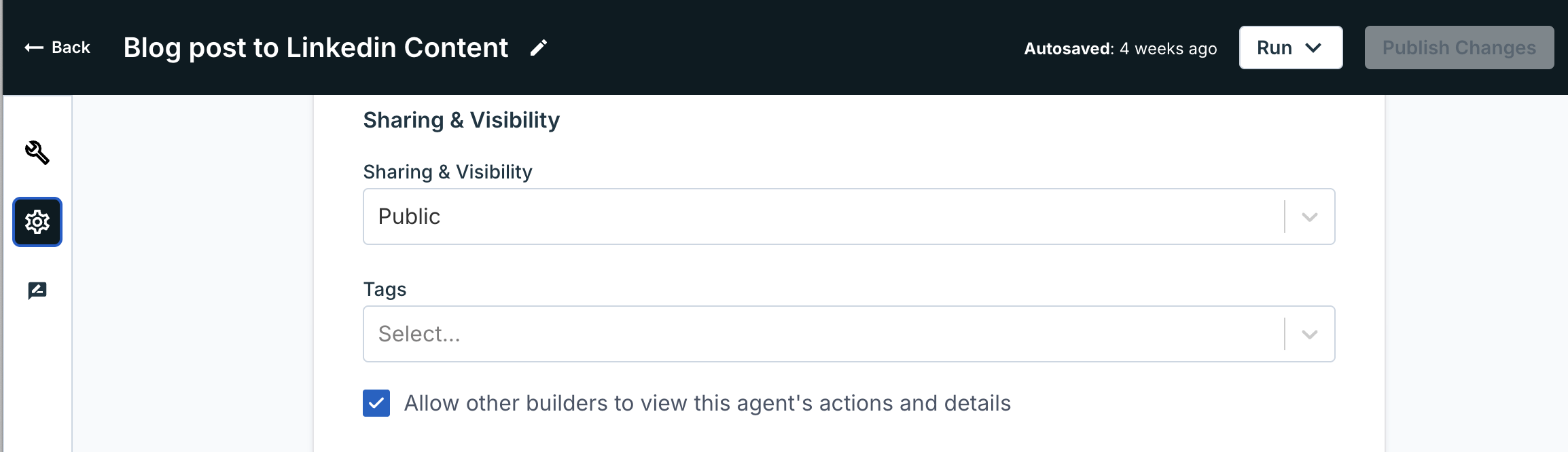 If you want other builders to be able to view and clone your agent:
1. Go to the agent's Settings page.
2. Under the "Sharing & visibility", check the box that says "Allow other builders to view this agent's actions and details".
3. Click the **Publish changes** button to save your change.
## View an Agent's Actions
If you want other builders to be able to view and clone your agent:
1. Go to the agent's Settings page.
2. Under the "Sharing & visibility", check the box that says "Allow other builders to view this agent's actions and details".
3. Click the **Publish changes** button to save your change.
## View an Agent's Actions
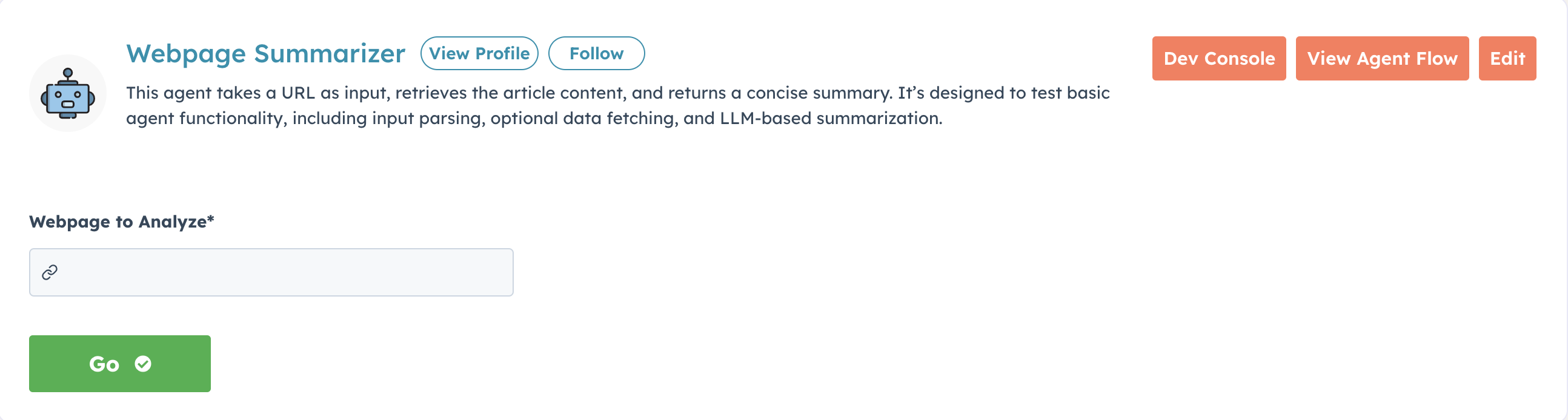 To see how another builder's agent works (if it's been made visible), go to the agent run page and click **View Agent Flow** to explore the full flow.
## Clone an Agent
To see how another builder's agent works (if it's been made visible), go to the agent run page and click **View Agent Flow** to explore the full flow.
## Clone an Agent
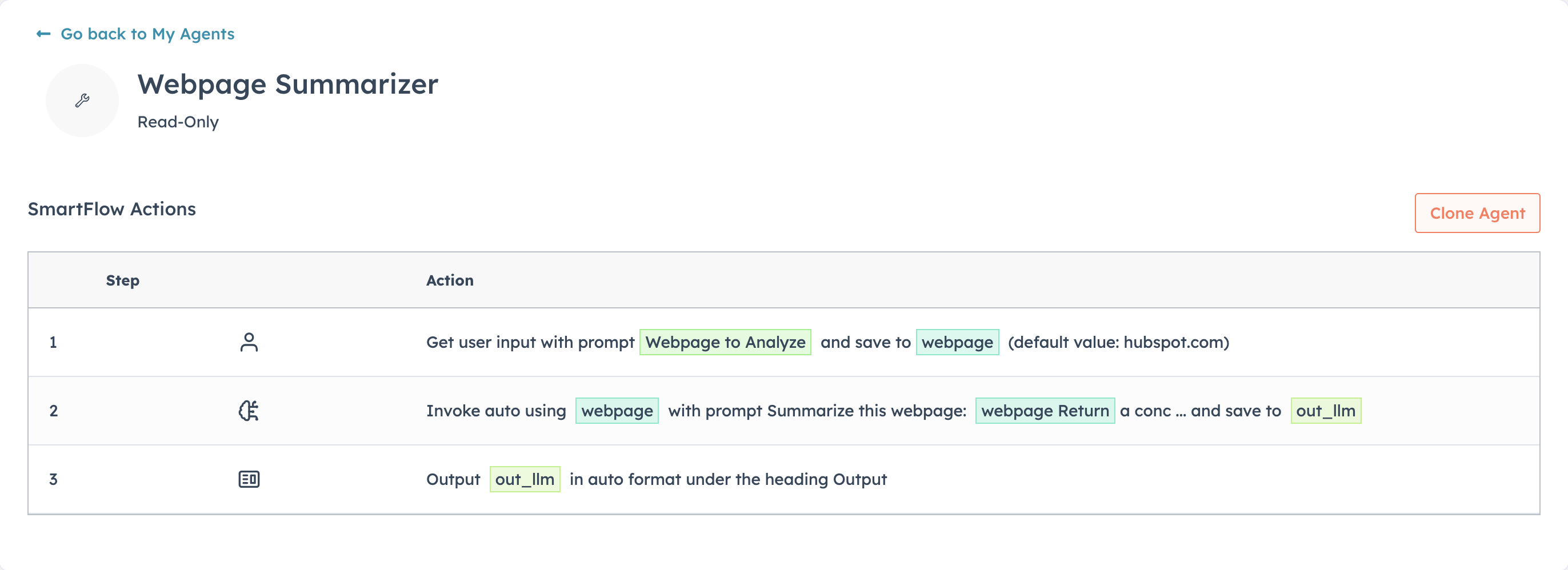 Once you're viewing an agent's flow, click **Clone Agent** to copy it to your builder account and open it in the editor.
While on the "View Agent Flow" page, you can also explore all the agent's actions in detail. Click on any action to expand it and view prompts or other configuration details.
You can try it yourself by cloning this [test agent](https://agent.ai/agent/test-webpage-summarizer).
## Clone Your Own Agent
In the Builder Tool, you can also clone your own agent to make changes and test things without messing with your existing, working agent. You can do this by opening the agent editor, clicking the **three dots** next to your agent's Publish Changes button and selecting **Clone**.
Once you're viewing an agent's flow, click **Clone Agent** to copy it to your builder account and open it in the editor.
While on the "View Agent Flow" page, you can also explore all the agent's actions in detail. Click on any action to expand it and view prompts or other configuration details.
You can try it yourself by cloning this [test agent](https://agent.ai/agent/test-webpage-summarizer).
## Clone Your Own Agent
In the Builder Tool, you can also clone your own agent to make changes and test things without messing with your existing, working agent. You can do this by opening the agent editor, clicking the **three dots** next to your agent's Publish Changes button and selecting **Clone**.
 ## Need Help?
If you have any questions about cloning agents or making your own agents visible to the community, please reach out to our [support team](https://agent.ai/feedback).
## Need Help?
If you have any questions about cloning agents or making your own agents visible to the community, please reach out to our [support team](https://agent.ai/feedback).