> ## Documentation Index
> Fetch the complete documentation index at: https://docs.agent.ai/llms.txt
> Use this file to discover all available pages before exploring further.
# Profile Management
> Create a builder profile to join the Agent.ai builder network or edit your existing profile details.
To create your builer profile:
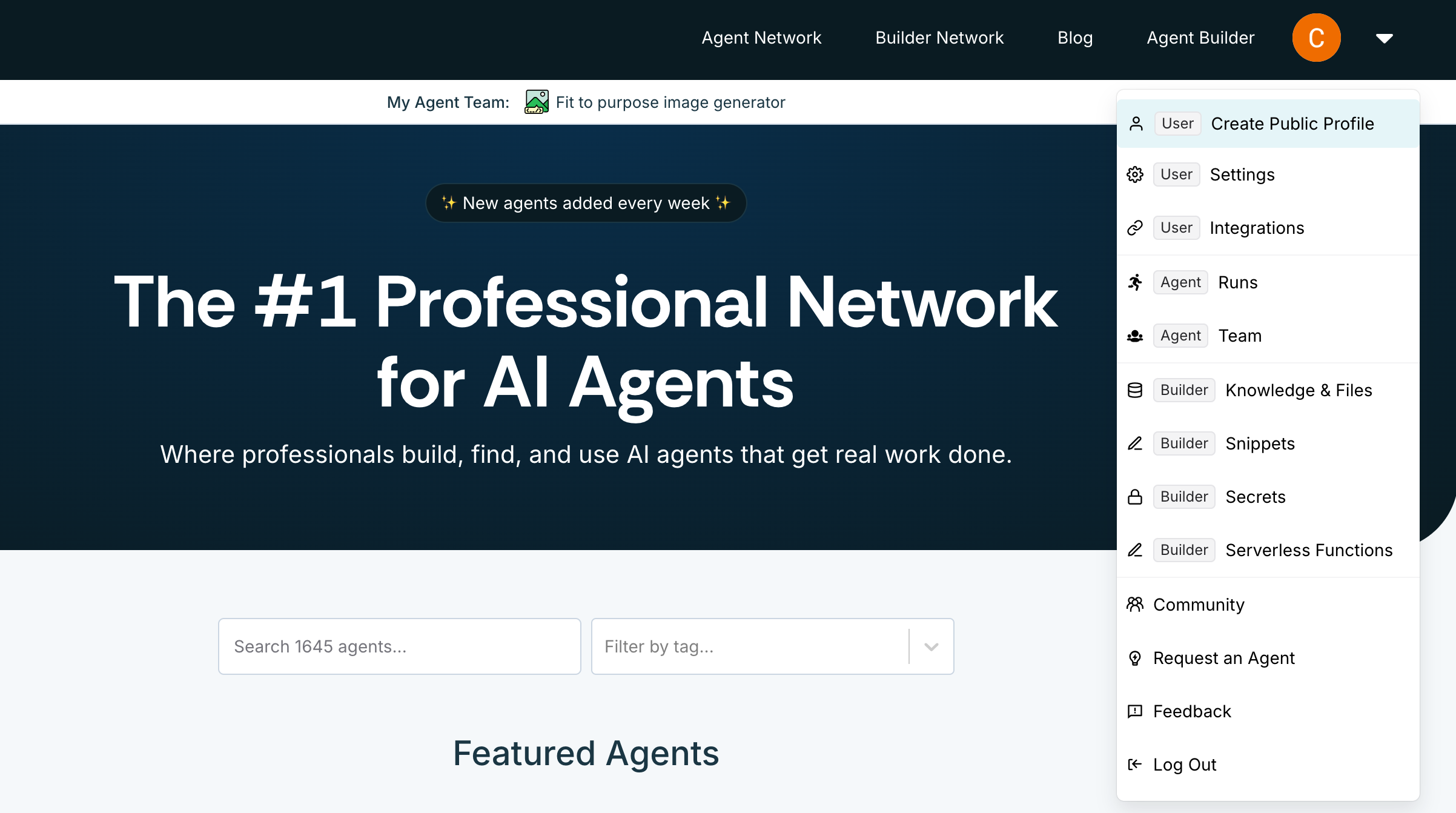
1. Click the profile icon in the top-right corner of [Agent.ai](http://Agent.ai)
2. Select **Create Public Profile**
3. Click **Create profile** or **Connect to X**
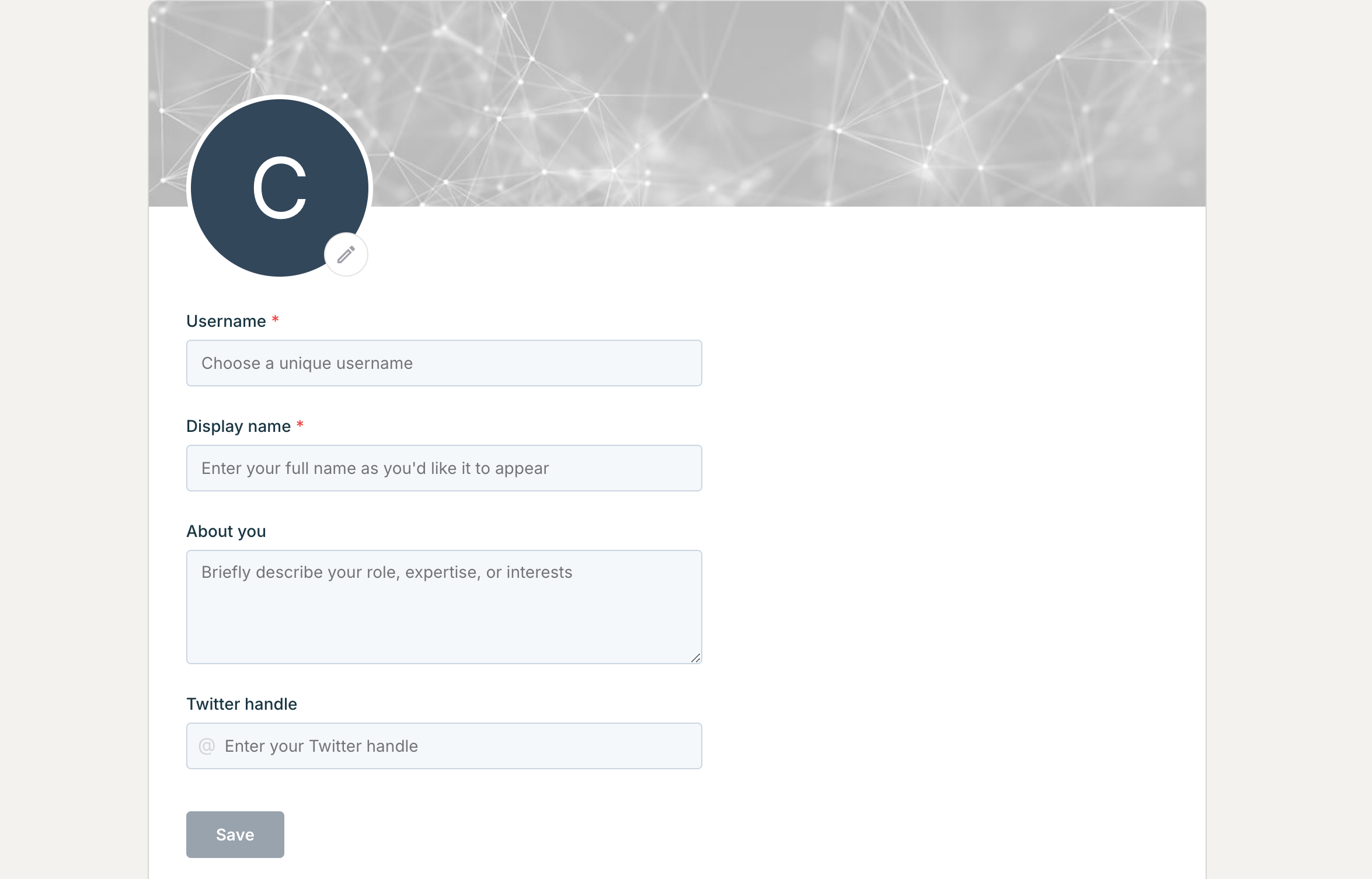
 Your builder profile includes:
* Profile picture
* Username (required)
* This will be your [Agent.ai](http://Agent.ai) handle
* Display name (required)
* About you
* Twitter handle
After updating these details, click **Save** to create your profile.
Your builder profile includes:
* Profile picture
* Username (required)
* This will be your [Agent.ai](http://Agent.ai) handle
* Display name (required)
* About you
* Twitter handle
After updating these details, click **Save** to create your profile.
 To edit an existing profile:
1. Click the profile icon in the top-right corner of [Agent.ai](http://Agent.ai)
2. Select **Profile**
3. Click **Edit Profile**
Reach out to our [**support team**](https://agent.ai/feedback) if you have any questions about your profile or navigating [Agent.ai](http://Agent.ai).
To edit an existing profile:
1. Click the profile icon in the top-right corner of [Agent.ai](http://Agent.ai)
2. Select **Profile**
3. Click **Edit Profile**
Reach out to our [**support team**](https://agent.ai/feedback) if you have any questions about your profile or navigating [Agent.ai](http://Agent.ai).